DEVIL13 / FREE RESEARCH TOOLS / EDITION 1.0
Research Toolkit
Choose a record that fits your question. Follow the sources. Leave a trail another reader can check.
Four free, fillable PDFs bring DEVIL13’s research methods into your own notes. Open a worksheet, save a copy and work through it in a PDF reader—or print it and write by hand. No account or payment is required to access these resources.
New to the language of evidence? Open the Evidence Glossary.
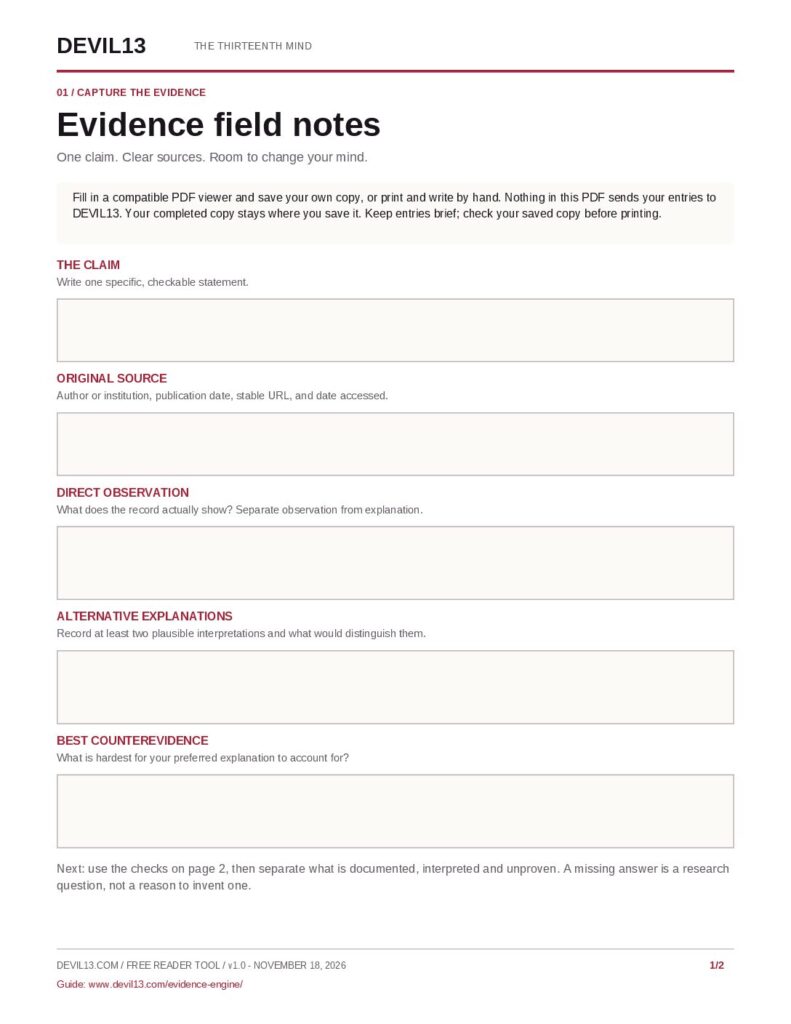
GENERAL CLAIMS / TWO PAGES / TEN FIELDS
Evidence Field Notes
Start here when a claim has several moving parts or you are unsure which evidence matters. This is the broad worksheet for following the Evidence Engine’s thirteen checks.
- Write the exact claim and identify its source.
- Separate observations, interpretations and alternative explanations.
- Record a provisional finding and what could change it.
Use the Evidence Engine → · Practise with a fictional case →
PHOTOGRAPHS & DIGITAL IMAGES / ONE PAGE / SEVEN FIELDS
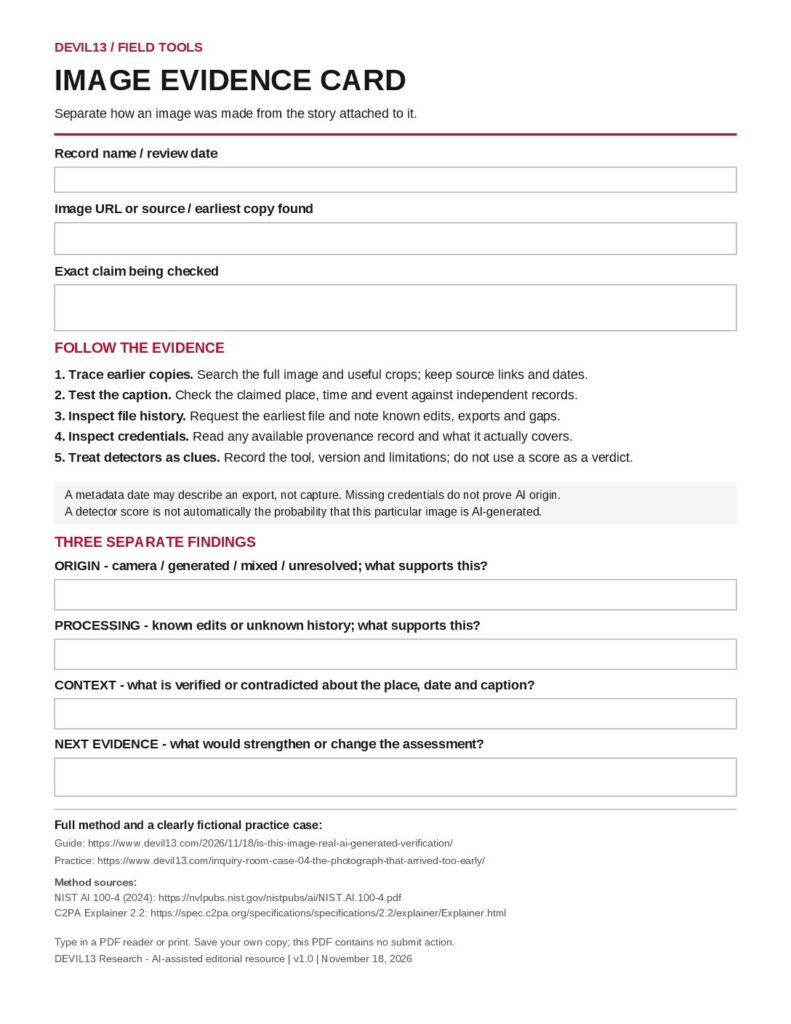
Image Evidence Card
Use this for a picture attached to a striking story. Keep the image’s origin, any processing and the accuracy of its caption in separate parts of the record.
- Identify the file, source and precise claim.
- Record what you find about origin, processing and context.
- Keep unresolved questions visible and name the next useful evidence.
Read the image-verification guide → · Try the fictional photograph case →
MANUSCRIPTS, BOOKS & ARCHIVES / ONE PAGE / SEVEN FIELDS
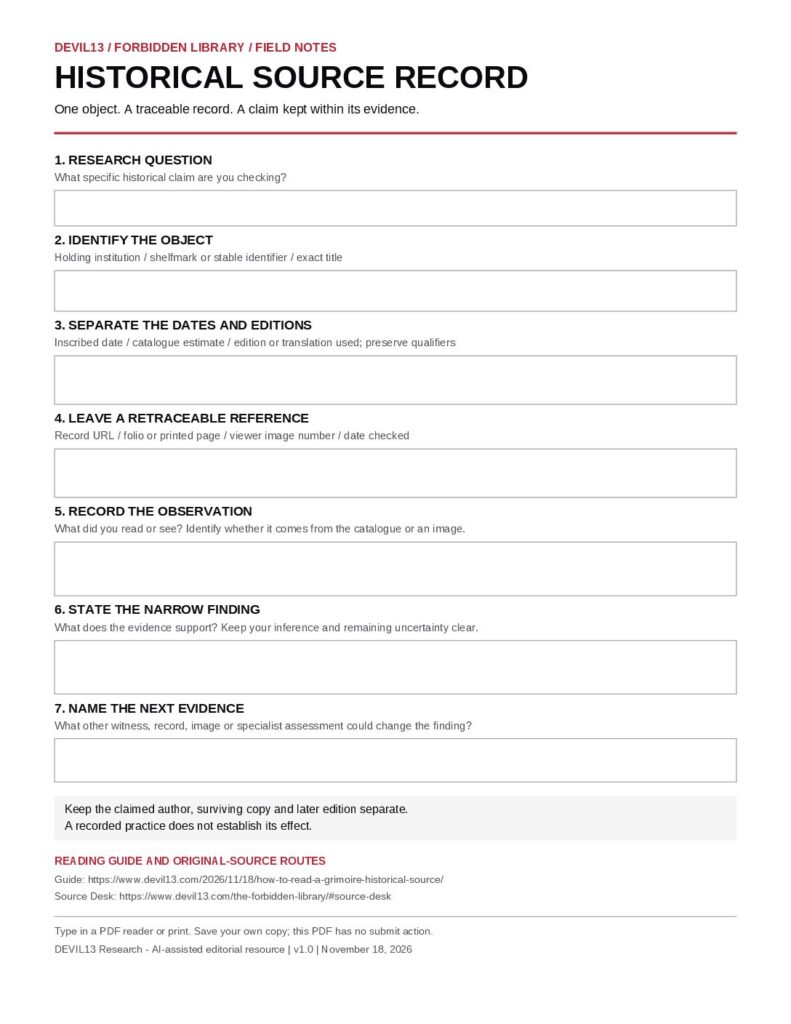
Historical Source Record
Use this when the identity of a document matters: which copy, which edition, which date, and which words actually appear in the surviving record.
- Save the institution, shelfmark, edition and exact page reference.
- Distinguish an inscribed date from a catalogue estimate.
- Separate what you observed from your interpretation and next question.
REPEATED REPORTS / SEVEN FIELDS
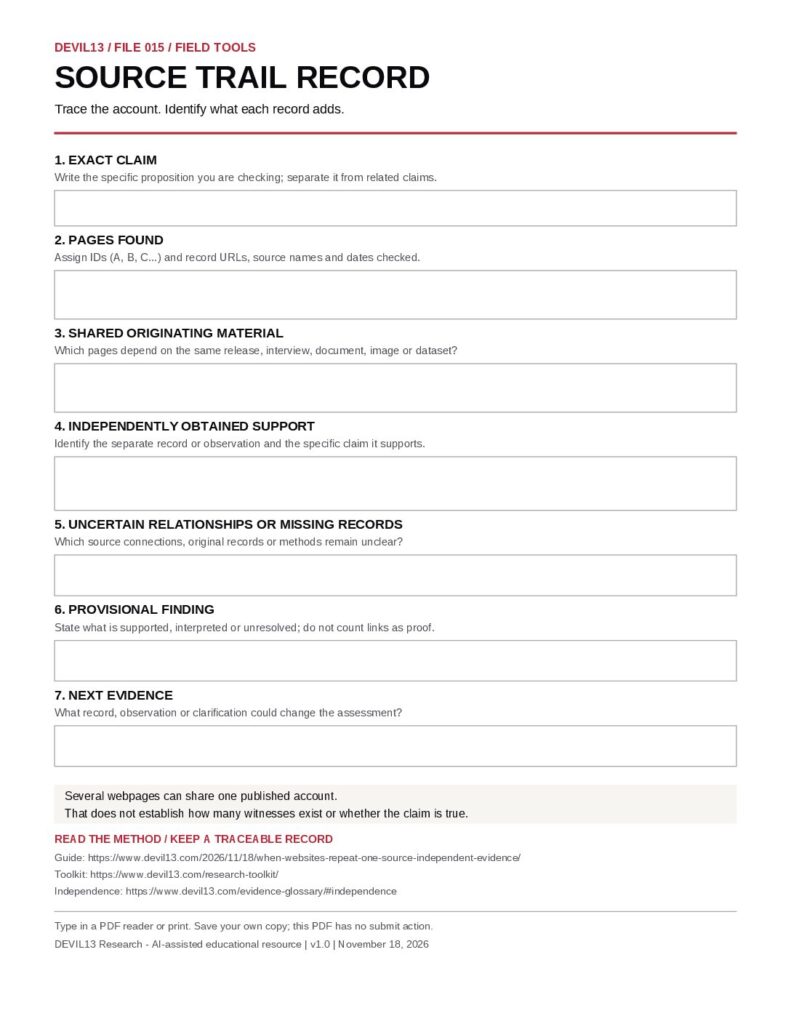
Source Trail Record
Use this when several accounts appear to support the same claim. Trace each report to its underlying source and record which information is shared, which is new and what remains unknown.
- State the exact claim and save the reports you are comparing.
- Follow each account to the witness, record or dataset it relies on.
- Record dependencies, separate support and the next useful check.
Read the independent-evidence guide → · What does independence mean? →
A SMALL WORKFLOW / USE IT AGAIN
Make the record useful
- Begin with one question. Split a broad story into claims you can investigate separately.
- Keep the reference. Save the URL, page or folio, date checked and enough detail to find the same material again.
- State the limit. Write what the evidence supports and what remains unresolved. A blank answer is better than an invented one.
- Save and revisit. Keep the file with your source notes. If new evidence changes the finding, record what changed and why.
The Evidence Glossary explains terms such as inference, provenance, corroboration and base rate. The Research Ledger shows how DEVIL13 records the limits of its own investigations.
Using the PDFs
Can I type into the worksheet?
Yes. These files contain fillable text fields. Open one in a PDF reader that supports forms, enter your notes, and save your own copy. Reopen the saved file to check that your entries are present. If your browser viewer does not support filling or saving, download the file and use a compatible PDF reader.
Does filling a worksheet send my answers to DEVIL13?
The PDFs have no submission action or embedded JavaScript. They are worksheets for your saved copy or printed notes. Opening or downloading a file is still a website visit; the worksheet does not make a broader promise about technical visit information or the PDF software you choose.
Which worksheet should I use for an old photograph?
Start with the Image Evidence Card to examine origin, processing and caption. Add a Historical Source Record if the photograph’s archive, catalogue, edition or accompanying document needs a separate record. Use one record for each distinct question.
These are self-guided research aids. They do not automatically authenticate a document, classify an image or decide whether a claim is true. Learn more in Our Method, find a quick answer or follow a Research Trail.
Toolkit edition 1.0 · November 18, 2026. All four worksheets are version 1.0.